Most manufacturing systems tell you what happened
By then, the decisions have already been made.
A plant learns how the shift went at the end of the shift. How the week went at the end of the week. How the process behaved, at the audit. Every one of those arrives after the moment when knowing would have changed something — after the order slipped, after the line ran forty minutes on a drifting setpoint, after the operator made the judgment call with the information they happened to have.
IntelliTrack™ is built around a simpler premise: everyone who acts on the process — management, engineering, production, quality — should be able to see what it is doing while they can still act on it.
Current state, in front of everyone who acts on it.
That is the first thing IntelliTrack™ does. Because the same live, per-unit record is precise enough to test against, it is also what enforces quality as production runs — and what answers the question on the rare occasion something needs investigating. Three layers, in that order.
How it works
From the floor to the decision, continuously
Not a reporting cycle. A loop that closes inside the shift.
1 — Capture
Every measurement, process value, operator entry, and equipment state lands as a discrete, named attribute the moment it happens — tied to a specific unit, at a specific operation.
2 — See
Live WIP, order progress, OEE, and equipment state are current, not reconstructed from counts at the end of the shift. A supervisor can answer "where is this order, and is it going to make it?" from the screen rather than from a walk down the line.
3 — Act
Alerts reach the person who can act, by email, SMS, or MMS, while there is still time to act. Meanwhile the recipe limits, BOM rules, and required checks hold the line automatically, without waiting for anyone to notice.
4 — Improve
What each investigation teaches you gets written back into the recipe as a tighter limit or an added check — and the system applies it from there on. The section on containment below shows how that works in practice.
Real time
What the plant can see right now
Not a dashboard bolted on top of yesterday’s extract — the same record production is writing as it runs, read by whoever needs it.
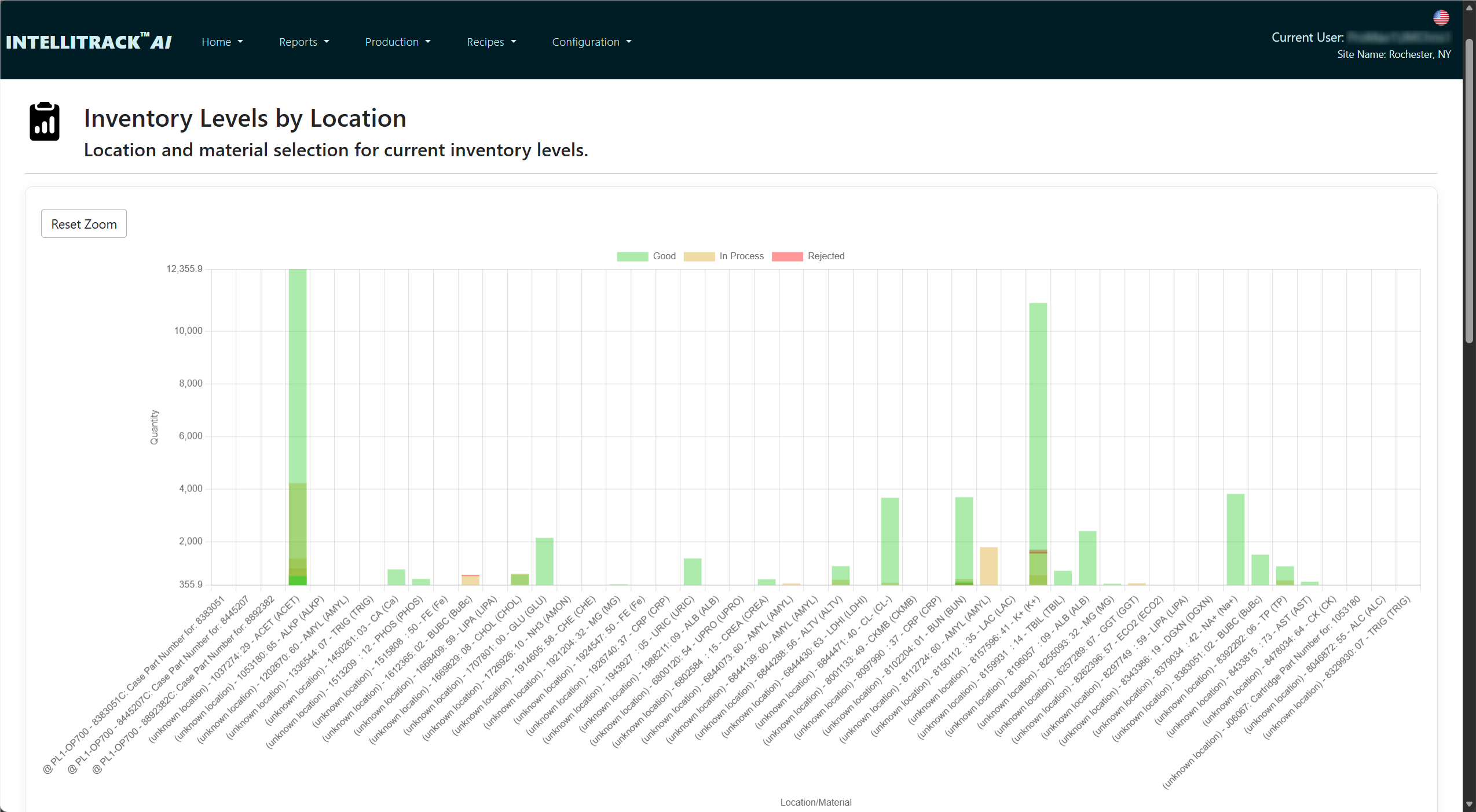
WIP visibility shows where products are, where they are waiting, which items are aging or delayed, and which are held, rejected, or ready to continue. Product is tracked and moved by carrier, tray, or fixture as well as one unit at a time, matching how the floor actually handles it — so what you see on screen matches what you would see walking the line.
Work orders keep a live count of what has been started and completed against what was ordered. The equipment reads them and the system advances them as good product is made, so fulfillment is a number you can schedule against mid-shift rather than one a supervisor reconstructs afterward. An API lets scheduling and enterprise systems create and query them directly.
OEE and downtime tie availability, performance, and quality losses to equipment state timelines, downtime events, production counts, and loss reason history. Operators classify downtime as it happens, and event review lets engineering correct and confirm the record afterward — so you move past the score to where the time is actually going.
Reports and dashboards cover product, performance, quality, inventory, supplier, carrier, material, curve, and WIP reporting, with dashboards you can build, view, and play back over a window of time.
The record underneath
Why the visibility is trustworthy
A live view is only as good as what feeds it. IntelliTrack™ captures at a level most systems don't.
Across a product's journey through production, IntelliTrack™ captures and preserves:
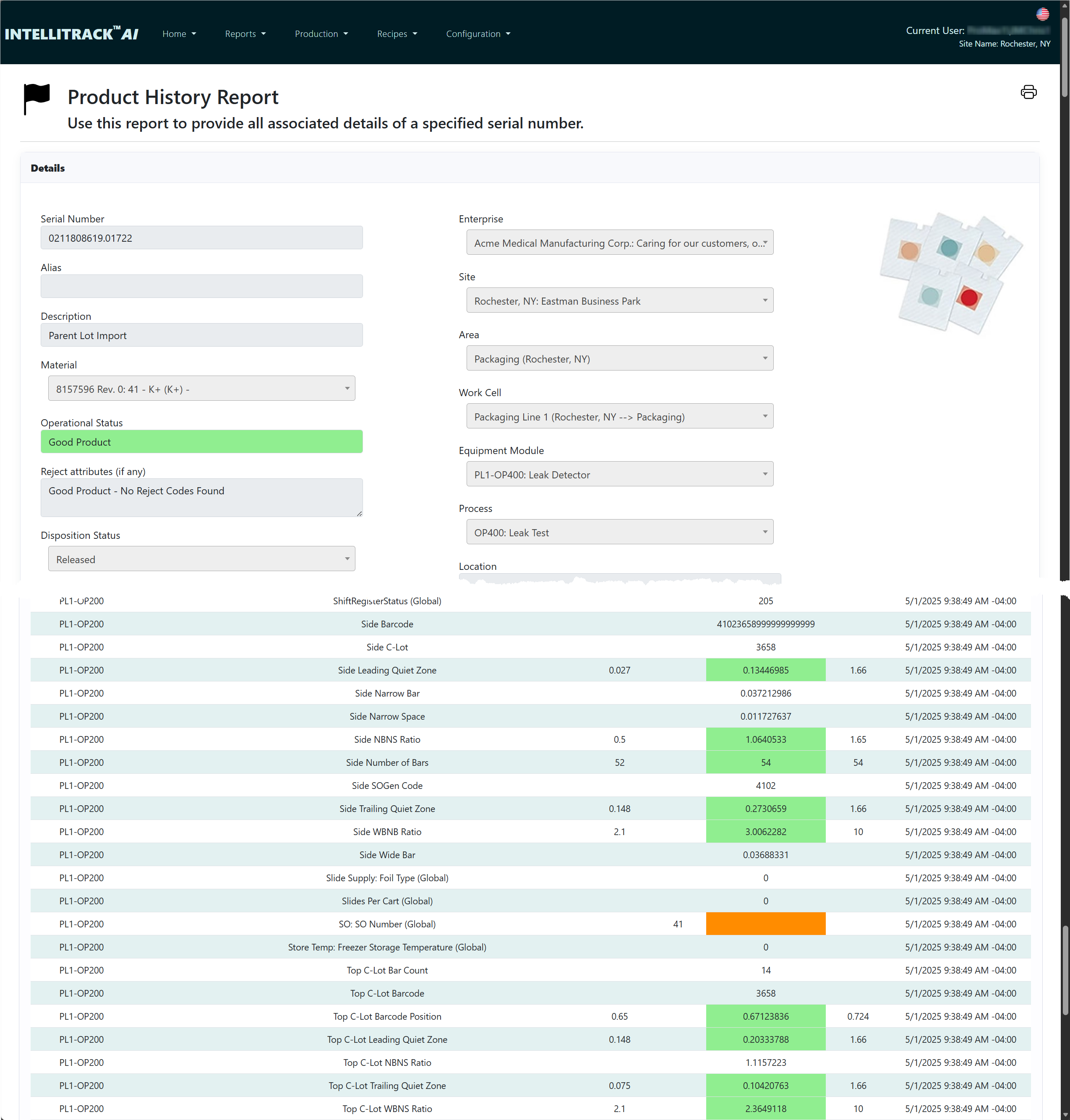
- Measured part dimensions and inspection results at each operation — per unit, per station, queryable by attribute name
- Process values — temperatures, pressures, speeds, cycle times, flow rates, and other PLC-sourced data — tied to the specific product and operation, not just the time window
- Recipe setpoints alongside actuals — what the process was supposed to do at each step, and what it actually did
- Alarm states and control limit events — when they occurred, how long they lasted, and which product was in process
- Operator entries and confirmations — values entered, checks completed, exceptions noted, and who was signed in
- Material and lot identification — barcode scans, genealogy links, and supplier traceability
- Equipment states and transitions — which equipment was involved, what state it was in, and when it changed
- Production counts, throughput, and timing — by product, operation, shift, and equipment
Each data point is a discrete, named, structured attribute, tied to a specific product, operation, and moment in time. Not a time-series trace to interpret. Not a log file to parse. A value a screen can display, a rule can test, and engineering can query.
See it against your own process
Tell us one decision you make every shift on incomplete information — a hold-or-release call, a schedule change, a setpoint adjustment. We'll show you the screen that would have given you the answer at the time.
In process
The same record holds the line automatically
Visibility tells a person something is wrong. Enforcement means the process doesn't wait for them to notice.
Because IntelliTrack™ already knows what every value is supposed to be, it can apply the rule at the station rather than reporting the violation afterward. Four gates, each refusing a different class of error, each acting while the correction is still cheap.
1 — Before work starts
At check-out, the unit, the approved recipe revision, the material lot, and the bill of material are verified together. An unapproved revision cannot run. A wrong or expired lot is refused. A dynamic pairing that was never approved is never made.
2 — While work happens
Every measured value is checked against the limits of the revision the part is actually being built under — not the revision that happens to be current today. Out-of-spec is caught at the station rather than at final inspection, after six more operations of value have been added to a part that was already bad.
3 — Before it moves
At check-in, a missing required attribute, a failed inspection, or a static bill of material violation stops the unit from advancing. Incomplete work doesn't quietly become someone else's problem at the next station.
4 — Before it ships
Shipping verification is the last gate. Incomplete, failed, or held product cannot leave the building — and because holds apply across the genealogy, that includes every unit that consumed a suspect component, not just the one that was flagged.
Recipe and process
The recipe is the rule, not just a reference
Most systems record that a recipe was used. IntelliTrack™ enforces what it contained.
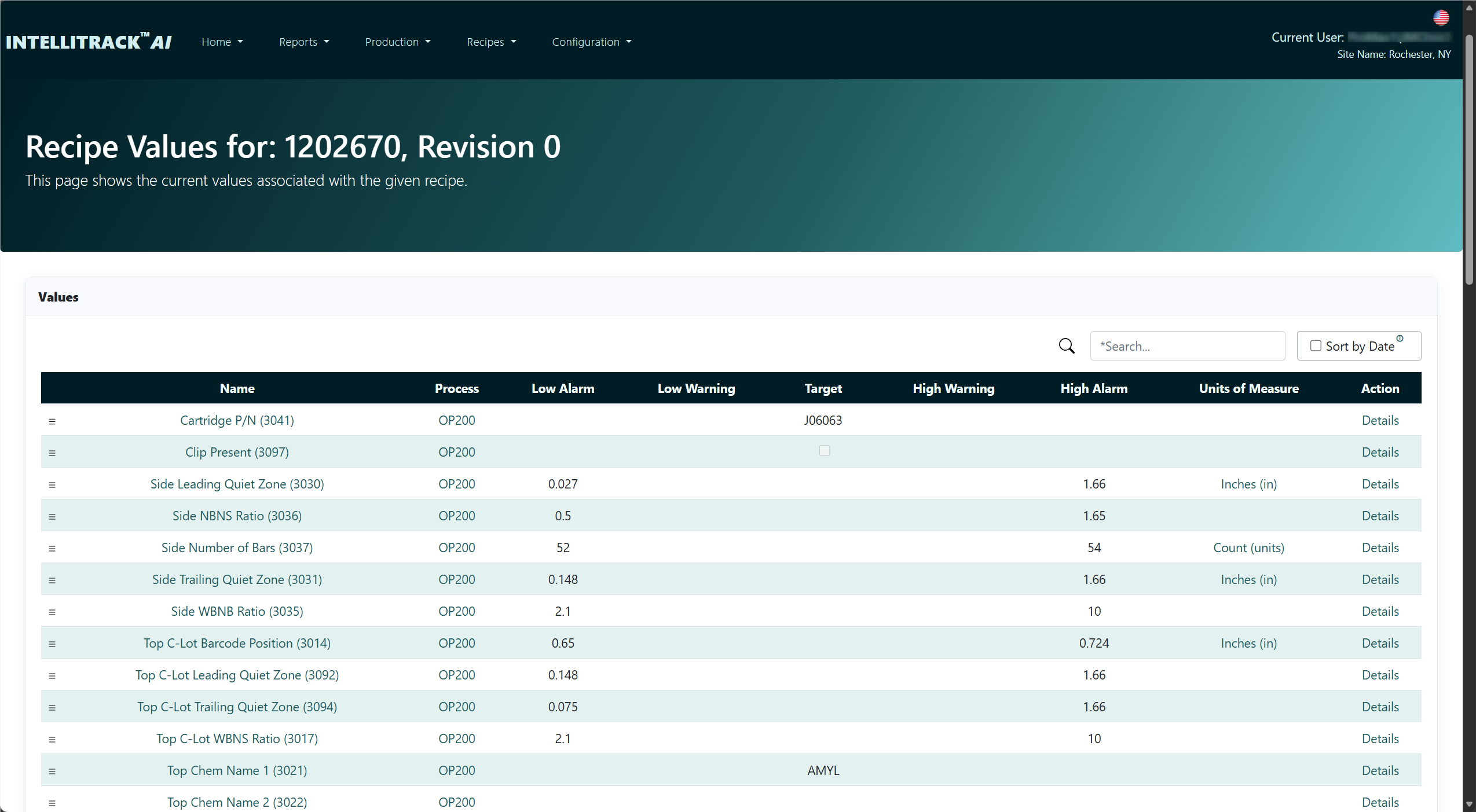
Recipes carry approval state and revision history, so a recipe still in draft cannot reach the floor and only an approved revision can run. Setpoints, control setpoints, alarm limits, and engineering-defined process windows are captured and associated with the specific product, lot, or run in which they were active — and measured values are compared against the limits from that revision, not whichever revision happens to be current when someone looks.
That same discipline is what makes the live view meaningful. When a screen shows a value in the green, it is in the green against the rule the part is actually being built to.
Closed loop
Set the next operation, not just the report
The strongest form of feedback isn't a screen a person reads. It's a value that sets the next operation without anyone reading anything.
Process values, measurements, and classifications captured at one stage are recalled and applied at a later one. A dimension measured at an early operation drives the downstream machining step. A process value recorded at one station adjusts the setup for the next. A classification assigned during inspection routes a product down the correct path — automatically, based on what was actually measured, not what was assumed.
That is closed-loop manufacturing, and it is per product: the value measured on this unit sets the operation this unit receives next. Not a machine adjustment carried from one part to the following one — each unit's downstream operations adapt to that unit, rather than to an average.
Quality
Quality connected to the manufacturing record
A defect by itself tells only part of the story.
Engineering needs to know what material was used, which equipment was involved, what recipe was active, what the process parameters were, and whether other products share the same conditions.
IntelliTrack™ connects quality events directly to the attribute-level record, so when an inspection result, a measurement outlier, or a defect code appears, the full production context is already attached. Audit stations record results against the production record rather than into a separate system — and those results feed the gates, so a failed audit doesn't just get logged, it stops the unit.
After the fact
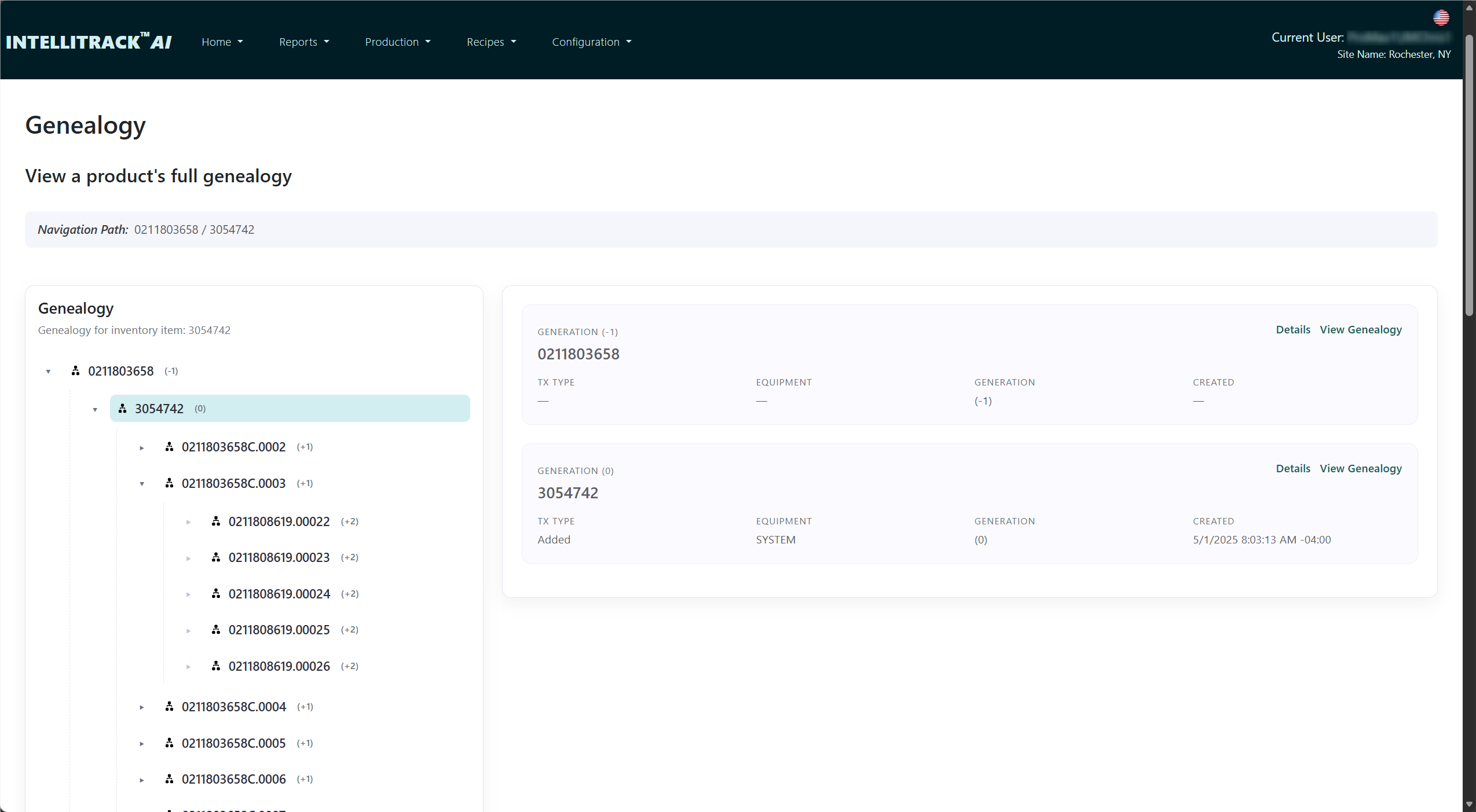
Genealogy, built as you go
The genealogy record isn't assembled when you need it. It is a byproduct of the first two layers already doing their job.
Because check-out verifies the material and check-in verifies the build, IntelliTrack™ ties products, lots, batches, materials, equipment, process steps, recipe states, measurements, and production events into a complete genealogy record on the ISA-95 produced/consumed model — as production occurs. That supports:
- Forward and backward traceability through the full production process
- Identification of all affected products, lots, or batches
- Reconstruction of the exact process conditions under which a product was made
- Stronger audit and regulatory documentation
- Faster, more complete support for recalls and customer investigations
The third layer
And when you do need to dig
No system prevents everything. A supplier ships an out-of-spec lot that passed incoming. A gauge drifts. A rule was never written because nobody had seen that failure before.
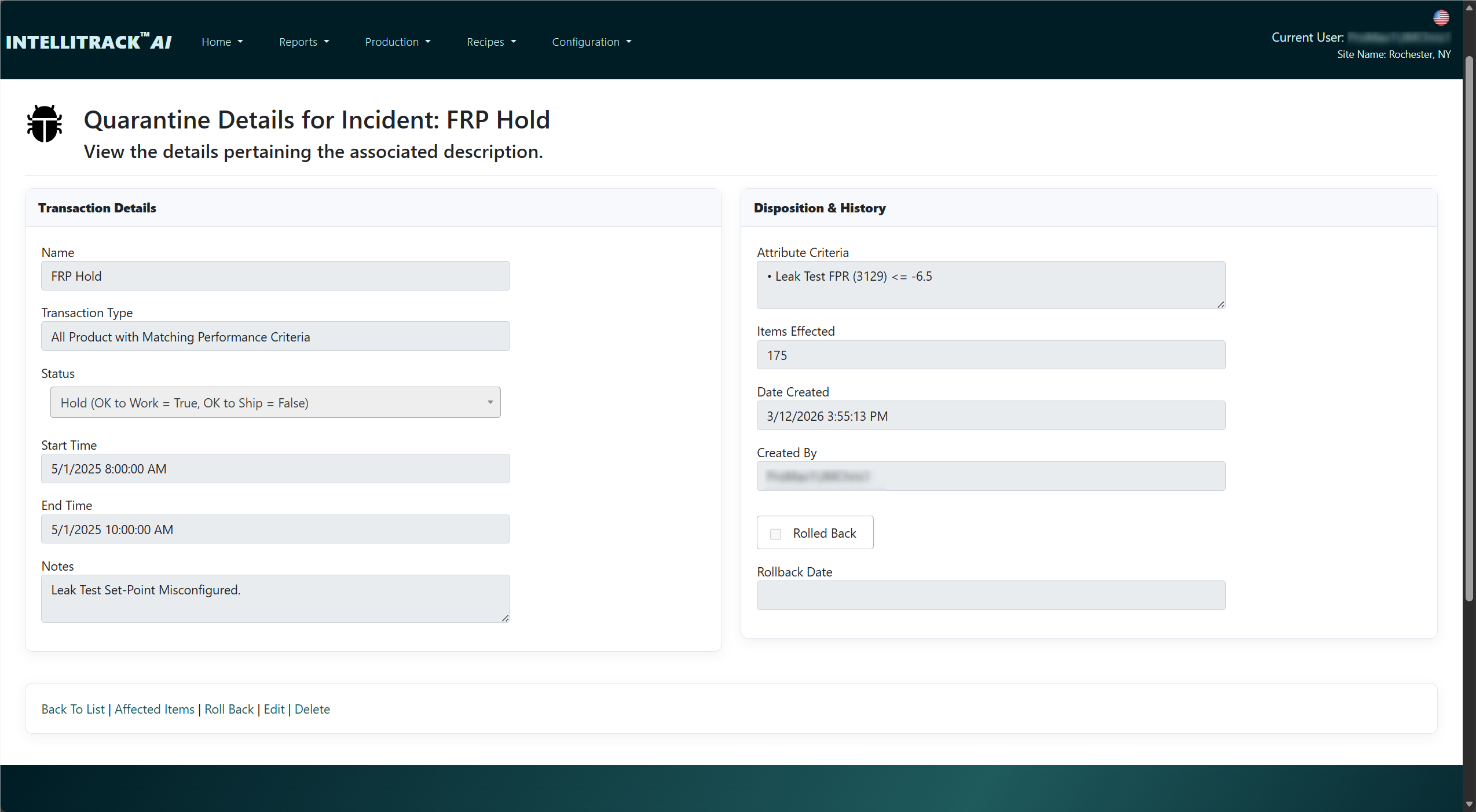
When that happens, the record the first two layers have been building is already complete — and containment isn't limited to one way of looking at it. A quarantine incident can be raised four ways:
- By genealogy — walk the relationships in both directions: everything built from the suspect material, and everything the suspect unit was built from.
- By process — every unit that ran through a particular operation or piece of equipment, over the window you specify.
- By performance — every unit whose measured values match criteria you define, whether or not it failed its check at the time.
- By supplier — every unit carrying material from a supplier or lot you have blacklisted.
Each returns the full affected set rather than the part of it someone thought to look for, and the four can be combined.
From there you place a hold and apply a disposition, and the shipping gate does the rest. Held product cannot ship. Work already in process can continue under review, so a containment action doesn't stop a line that didn't need stopping. The containment list is exportable, which means the record you hand a customer or an auditor is the same record the system used to act.
Then you close the loop. Say the investigation shows parts failed whenever a temperature ran above 212°C, even though the recipe permitted 220°C. You tighten that limit in the recipe, and because every measured value is checked against the revision in force, the next unit to exceed 212°C is stopped at the station. The finding is applied by the system rather than remembered by people — which is what turns three layers into a loop.
AI Insights
AI grounded in your record, and governed
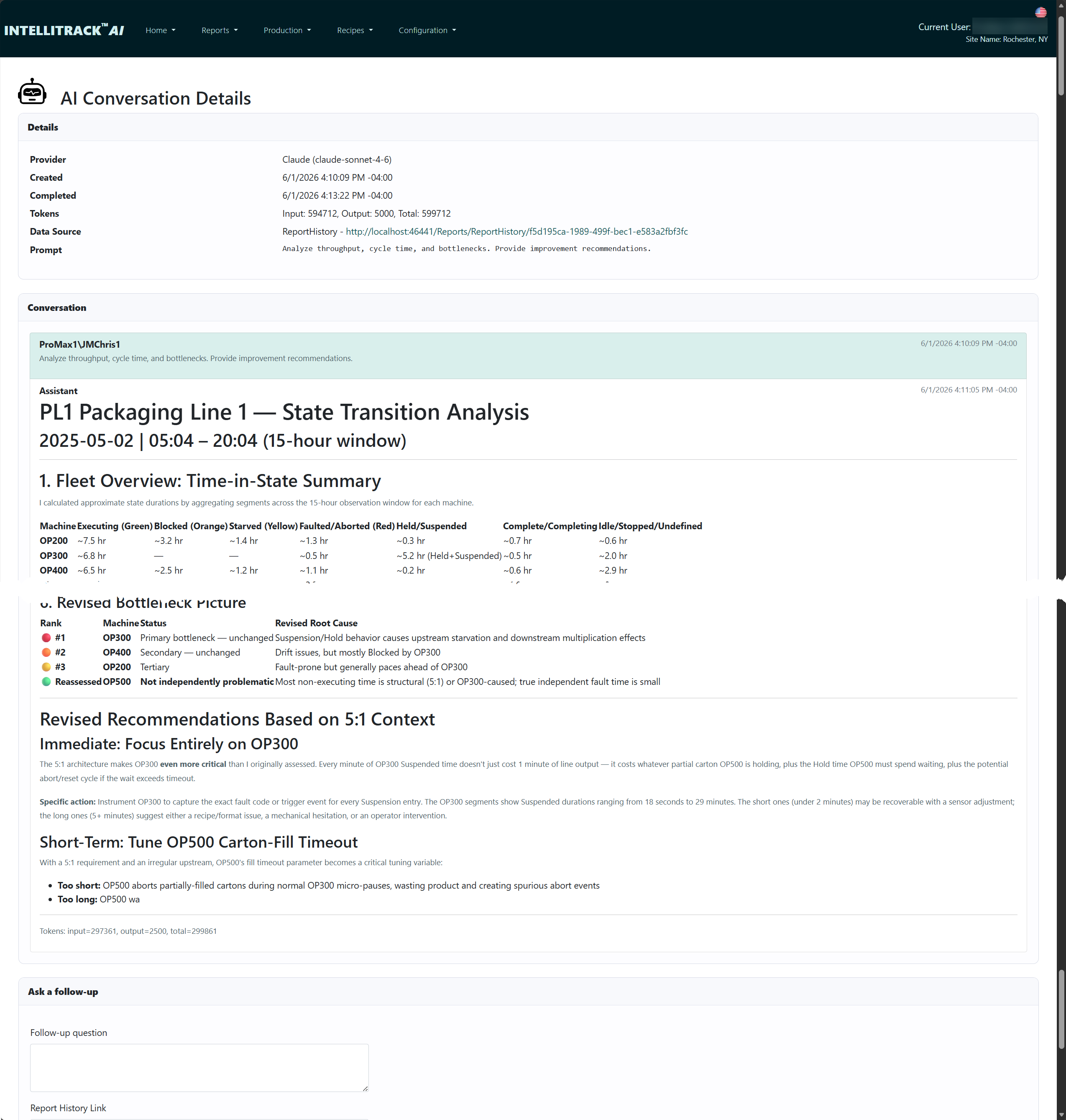
IntelliTrack™ connects your structured manufacturing record directly to AI providers including Claude and ChatGPT.
Because the model reasons over recipe values, process actuals, individual measurements, genealogy, equipment states, and quality results — not a generic corpus — it can answer the questions that turn into the next rule:
- Compare parameter values and measured attributes across runs that passed against runs that failed.
- Show whether a recipe change or process drift correlates with a shift in quality outcomes.
- Find every product sharing this material lot, recipe revision, or equipment condition.
- Summarize the full production history for this part, including process conditions at each step.
Governed, not bolted on
Provider credentials are never typed into the web application. They arrive in a signed, encrypted provisioning file bound to your specific installation's key, which makes that file useless anywhere else. And what the assistant is allowed to remember passes a human review gate first — a person decides what the model treats as fact about your plant.
Integration
Connected to the rest of the business
What the floor knows is worth more when the business knows it too.
IntelliTrack™ integrates with SAP, NetSuite, and Microsoft Dynamics 365 Business Central through configurable field mappings and per-transaction enablement, with built-in diagnostics so you can see exactly what was sent, what came back, and what failed — instead of opening a ticket to find out.
Materials, suppliers, receiving, lot expiry, and units of measure are managed in the same system, so incoming material carries its identity through the whole process rather than being re-keyed at each step.
Category
What makes IntelliTrack™ different
Large MES and MOM platforms focus on enterprise standardization. Historians store time-series equipment data. Dashboards and BI tools visualize data after collection. QMS systems manage formal quality workflows.
What separates IntelliTrack™ is when the data is useful: current enough to decide on, structured enough to enforce with, and complete enough to answer from.
| Question | Historian | BI / dashboard | Enterprise MOM | QMS | IntelliTrack™ |
|---|---|---|---|---|---|
| Where is every unit right now? | Not tracked | As of last refresh | Usually | No | Live, per unit and carrier |
| Order progress during the shift? | No | End of shift | Yes | No | Live, advanced by the machines |
| Where is the time actually going? | Tag history | An OEE score | Yes | No | Loss reasons per event, per unit |
| Setpoint next to actual? | No | Only if modeled | Recipe used, rarely contents | No | Yes, by recipe revision |
| Stops bad product moving? | No | No | Sometimes | After the fact | At check-out, check-in, and shipping |
| Sets the next operation automatically? | No | No | Rarely | No | Yes — closed loop |
| What is one record? | A tag at a timestamp | An aggregate | A transaction | A quality event | A named attribute on one unit at one operation |
| Time to answer "which other units are affected?" | Manual reconstruction | Manual reconstruction | Hours to days | Hours to days | A query |
Fit
Configurable, not custom
Your screens show your process and your rules enforce your standards. Defining them is configuration, not a development project.
The product ships with an ISA-95 equipment model, a recipe and revision system, a genealogy engine, and an attribute framework already built. Your traceability rules, your routing, your quality checks, your attribute definitions, and your BOM structures are configured as data against that foundation.
Which is why the fit is specific to your plant, and the system is still one you can upgrade.
Fit check
Where IntelliTrack™ fits
A strong fit
- Discrete or batch plants where real decisions get made every shift
- PLC-driven lines where process values matter as much as pass/fail
- Regulated or customer-audited operations where the process has to be provably followed
- Products assembled from tracked components, where the wrong part can physically go in
- Plants where an upstream measurement should be setting a downstream operation
Probably not the right tool
- Continuous process plants where a historian already answers the question
- Operations that need enterprise-wide MOM standardization across many dissimilar sites
- Environments with no plant-floor data acquisition and no plan to add it
We would rather tell you this in the first conversation than the fourth.
Deployment
Deployed on your terms
Run IntelliTrack™ on your own servers, or let us host it. Either way, you decide where your production data lives.
- Platform
- Windows Server, SQL Server, and IIS. Installed on your own hardware with a guided installer, or hosted in the cloud — on-premises keeps production data inside the plant, cloud hosting takes the server off your list.
- Authentication
- Active Directory, with access controlled by roles mapped to your existing security groups.
- Integration
- API clients for machines and enterprise systems; ERP adapters for SAP, NetSuite, and Business Central.
- Plant floor
- PLC connectivity through Event Engine®, which imports tag structures directly from the controller.
- Multi-site
- Shared configuration, site-local execution, consolidated reporting — a plant keeps running when the internet doesn't.
- Licensing
- Licensed per site. Activate and manage licenses through the Factory Data Systems license portal.
The stack
IntelliTrack™ and Event Engine®
A live view is only as current as the data reaching it. Event Engine® is how that data arrives.
Event Engine® is purpose-built middleware that imports tag structures directly from your PLCs, processes events at near-real-time throughput, and exposes what it is doing through a web diagnostic interface instead of a black box. That latency is the difference between a screen showing what the line is doing and a screen showing what it was doing a few minutes ago.
Together they form a single path from the control system to the operational record — one vendor, one support relationship, and no integration project in between. Each also stands alone: Event Engine® feeds any historian, MES, or database, and IntelliTrack™ accepts data from the systems you already run.